Announcements4 min read
Introducing the Emailit MCP Server
Connect Claude, Cursor, and other AI assistants directly to Emailit. Send emails, manage contacts, domains, templates, and more through natural language.
GBy George
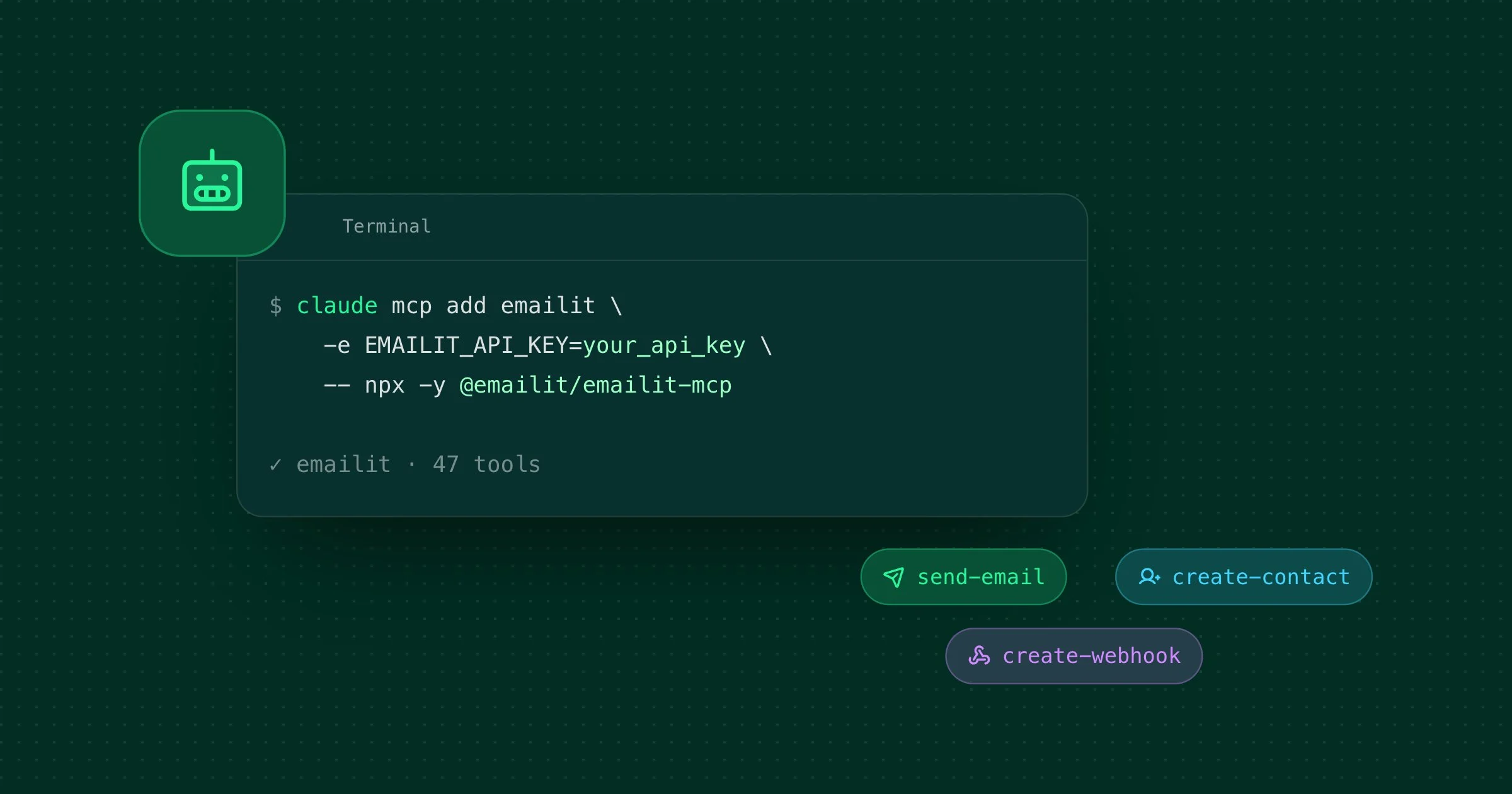
We're releasing the Emailit MCP Server, an open-source Model Context Protocol server that gives AI assistants like Claude, Cursor, and any other MCP-compatible client full access to the Emailit platform. Send emails, manage contacts, set up domains, create templates, all through natural language.
What this unlocks
Instead of switching between your AI assistant and the Emailit dashboard, you can now do everything from a single conversation:
- "Send a welcome email to sarah@example.com using the onboarding template" — the AI picks the right template, fills in the variables, and sends it.
- "Show me all emails that bounced this week" — list and inspect emails without leaving your editor.
- "Add mail.example.com as a sending domain and show me the DNS records" — create the domain and get the exact records you need to configure.
- "Schedule a reminder to the team for tomorrow at 9am" — the server accepts natural language scheduling like "tomorrow at 9am" or "next Monday at 2pm".
The MCP Server exposes 47 tools across 8 categories: emails, domains, API keys, audiences, contacts, templates, suppressions, and webhooks. It covers the full Emailit API.
How it works
The Model Context Protocol is an open standard that lets AI assistants connect to external services through a structured tool interface. The Emailit MCP Server implements this protocol, so any compatible client can discover and call Emailit operations automatically.
There are two ways to connect:
- Stdio — The client starts the server as a subprocess and communicates over stdin/stdout. This is the simplest setup and works with Claude Code, Cursor, and Claude Desktop.
- HTTP — The server runs as a standalone HTTP service with Streamable HTTP transport. Useful for remote setups, shared environments, or web-based clients.
Getting started
All you need is an Emailit account, an API key, and Node.js 18+.
Claude Code
claude mcp add emailit -e EMAILIT_API_KEY=your_api_key -- npx -y @emailit/emailit-mcpCursor
Open Cursor Settings → MCP → Add new global MCP server and paste:
{
  "mcpServers": {
    "emailit": {
      "command": "npx",
      "args": ["-y", "@emailit/emailit-mcp"],
      "env": {
        "EMAILIT_API_KEY": "your_api_key"
      }
    }
  }
}
Claude Desktop
Open Settings → Developer → Edit Config and paste the same JSON block above.
That's it. Once connected, the AI will automatically discover all 47 tools and you can start using them right away.
Examples
Here are a few things you can do out of the box:
Send emails with templates and variables
"Send the welcome-email template to john@example.com with his name as John"
The AI resolves the template by alias, substitutes the {{name}} variable, and sends:
{
  "template": "welcome-email",
  "to": "john@example.com",
  "variables": { "name": "John" }
}
Attach files from a URL
"Send the monthly invoice to accounting@company.com with the PDF from our S3 bucket"
{
  "to": "accounting@company.com",
  "subject": "Monthly Invoice",
  "attachments": [
    {
      "filename": "invoice-2026-05.pdf",
      "url": "https://mybucket.s3.amazonaws.com/invoices/2026-05.pdf"
    }
  ]
}
Manage your entire sending infrastructure
"Create a new audience called 'Beta Users', add jane@example.com to it, then create a webhook that sends me delivery events"
The AI chains multiple tools together — create-audience, create-contact, and create-webhook — in a single conversation.
Suppress and unsuppress addresses
"Suppress bounced@example.com because of too many hard bounces, set it to expire in 30 days"
{
  "email": "bounced@example.com",
  "type": "bounce",
  "reason": "too many hard bounces",
  "keep_until": "2026-06-18T00:00:00Z"
}
Tips
- Set a default sender. Pass
--sender you@yourdomain.comor set theSENDER_EMAIL_ADDRESSenvironment variable so the AI doesn't ask for a sender address every time. - Use templates for repeated emails. Create templates with
{{variables}}and reference them by alias, it's faster and more consistent than writing HTML in the chat. - Natural language scheduling works. You can say "tomorrow at 9am", "next Friday at noon", or pass an ISO 8601 timestamp, the server handles both.
- Destructive operations are guarded. Delete tools instruct the AI to confirm with you before proceeding, so you won't accidentally delete a domain or contact.
- HTTP mode for shared setups. If multiple team members or services need access, run the server in HTTP mode and each client authenticates with their own API key via Bearer token.
Open source
The Emailit MCP Server is MIT-licensed and available on GitHub. It's pure JavaScript (ESM), has no build step, and depends on just four packages: @modelcontextprotocol/sdk, fastify, minimist, and zod.
Contributions and feedback are welcome, open an issue or submit a PR.
Full documentation
We've published a complete setup and reference guide:
- Emailit MCP Server Guide — Installation, configuration, all 47 tools, usage examples, and troubleshooting
Get started
Install the MCP server with a single command:
npx -y @emailit/emailit-mcpRead the full guide or check out the GitHub repository to get started.