Announcements4 min read
Start collecting leads using Forms
Forms is now in beta for every workspace: design popups, flyouts, banners and embedded sign-up forms, show them to the right visitors, test them, and turn every submission into a contact.
GByGeorge
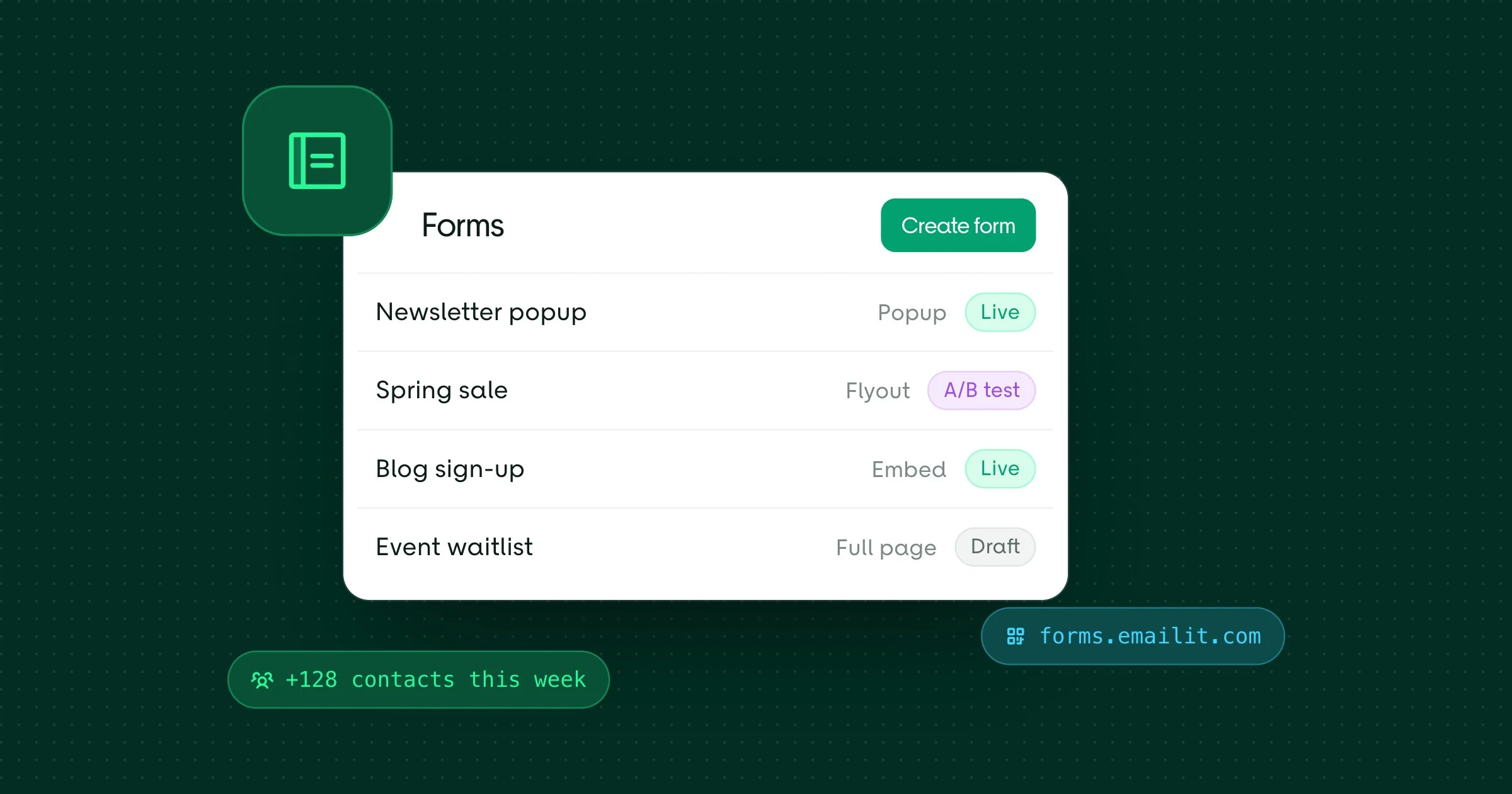
Your website already has visitors. Forms turns them into subscribers: you design a sign-up form in the dashboard, add one script tag to your site, and every submission arrives in Emailit as a contact. Forms is now in beta and open to every workspace: Pay as you go includes 10 forms, Pro 100 and Business 1,000.
Five ways to ask
- Popup: a dialog in the middle of the page.
- Flyout: slides in at a corner or along the bottom.
- Banner: a bar across the top or bottom of the page.
- Full page: covers the whole screen.
- Embedded: sits inside your content, wherever you place it.
Build it on a canvas
The builder shows your form as visitors will see it. Add text, images and buttons, and fields for email, name, phone, dates, dropdowns, checkboxes, consent and a list picker. When you want more, add a countdown, a coupon code, a spin-to-win wheel or a sign-up counter.
Split longer forms into steps with a success step at the end. Start from a theme, then set colors, fonts, borders, backgrounds and a side image, with mobile overrides and custom CSS if you need them. Desktop and mobile previews sit side by side, and each time you publish, Emailit keeps a version you can restore.
Show it to the right people
Open a form after a delay, when visitors scroll, or when they're about to leave. Choose the pages, devices, countries, browser languages and traffic sources it shows for, show it only to new or returning visitors, hide it from people who already subscribed, and set dates for a campaign. Frequency limits keep it from showing too often.
Test what works
Try different designs against each other with an A/B test. Emailit measures each version's submit rate and, once one is clearly ahead, can switch all traffic to the winner for you.
Every submission becomes a contact
A submission with an email address creates the contact or updates it, adds them to the audiences you choose and to the lists they pick, and can ask them to confirm with double opt-in first. Each finished form sends a form.submitted webhook and can start a Form submitted automation, so a welcome series goes out on its own. Bot protection and blocking of disposable addresses keep the list clean.
Share it without a website
On Pro and Business, every form also gets a hosted page at forms.emailit.com and a QR code. Put the link in a social bio, an email or an ad, or print the QR code on packaging and event signs.
Get started
Open Email Marketing > Forms and select Create form, or start with Forms in the docs. Forms is in beta, so tell us what you'd like next in Discord or by replying to any of our emails.