Engineering4 min read
Simplifying Email Statuses
We've replaced the old email statuses with a clearer, more consistent set. Here's what changed and how the new statuses map to the old ones.
GByGeorge
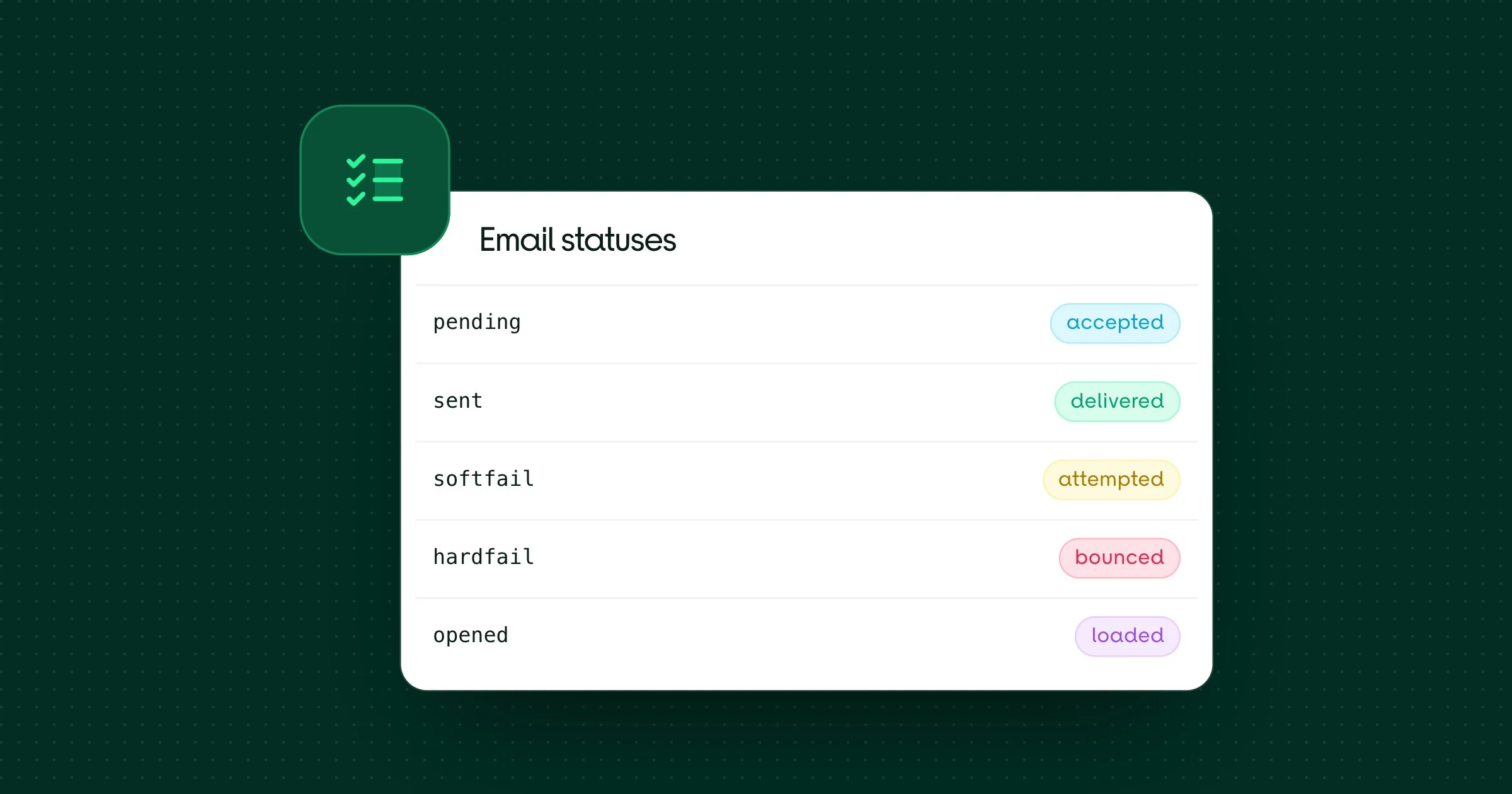
Email statuses are one of the most important parts of the API — they tell you exactly where an email is in its lifecycle. Over time our original set of statuses grew organically and became confusing: what's the difference between error and softfail? Is held the same as pending? We decided to clean it up.
The new statuses
We now have 12 clear statuses, each with a distinct meaning and color:
Status | Color | Description |
|---|---|---|
accepted | 🟡 | Accepted for delivery |
scheduled | 🟡 | Scheduled for future delivery |
delivered | 🟢 | Delivered to the recipient's mail server |
bounced | 🔴 | Permanently failed (hard bounce) |
attempted | 🟠 | Delivery attempted but temporarily failed |
failed | 🔴 | Failed to deliver due to a specific error |
rejected | 🔴 | Accepted initially, then rejected |
loaded | 🔵 | Email content was loaded (open tracking) |
clicked | 🟣 | A link in the email was clicked |
suppressed | ⚪ | Recipient is on the suppression list |
received | 🟢 | Incoming email was accepted |
complained | 🔴 | A spam complaint was registered |
What changed from the old statuses
The old statuses are deprecated. Here's how they map to the new ones:
Old status (deprecated) | New status |
|---|---|
|
|
|
|
| (removed) |
| (removed) |
|
|
|
|
|
|
|
|
| (removed) |
| (removed) |
The renamed statuses are more descriptive: loaded makes it clear we're tracking the email content being loaded (not necessarily a human opening it), attempted is less ambiguous than softfail, and bounced is universally understood.
Backwards compatibility
All existing emails and their deliveries have been migrated to the new statuses, you won't see any old status names on email or delivery records, regardless of when they were created.
The only place old status names may still appear is in previously triggered events and webhook requests that were sent before this change. Those historical payloads are immutable and will retain the original status values they were created with.
If you're filtering or matching on status values in your code, update your integrations to use the new names.