Announcements5 min read
Announcing Webhooks v2
Webhooks v2 is here, 36 event types, HMAC-SHA256 signatures, automatic retries, and full documentation for every payload.
GByGeorge
We're launching Webhooks v2, a complete overhaul of how Emailit delivers real-time event notifications to your applications. With 36 event types across 9 resource categories, cryptographic signature verification, and a robust retry policy, Webhooks v2 gives you everything you need to build reliable, event-driven integrations.
What's new
36 event types across 9 resources
Webhooks v2 covers every resource in Emailit. You can subscribe to exactly the events you care about or use all_events to receive everything.
Email events track the full delivery lifecycle:
Event | Description |
|---|---|
| Accepted for delivery |
| Scheduled for future delivery |
| Delivered to the recipient's mail server |
| Permanently failed (hard bounce) |
| Temporary delivery failure |
| Failed due to a specific error |
| Accepted then rejected |
| Recipient is on the suppression list |
| Incoming email was accepted |
| Spam complaint registered |
| A link in the email was clicked |
| Email content was loaded (opened) |
CRUD events for domains, audiences, subscribers, contacts, templates, suppressions, email verifications, and email verification lists, each with .created, .updated, and .deleted events.
Consistent event structure
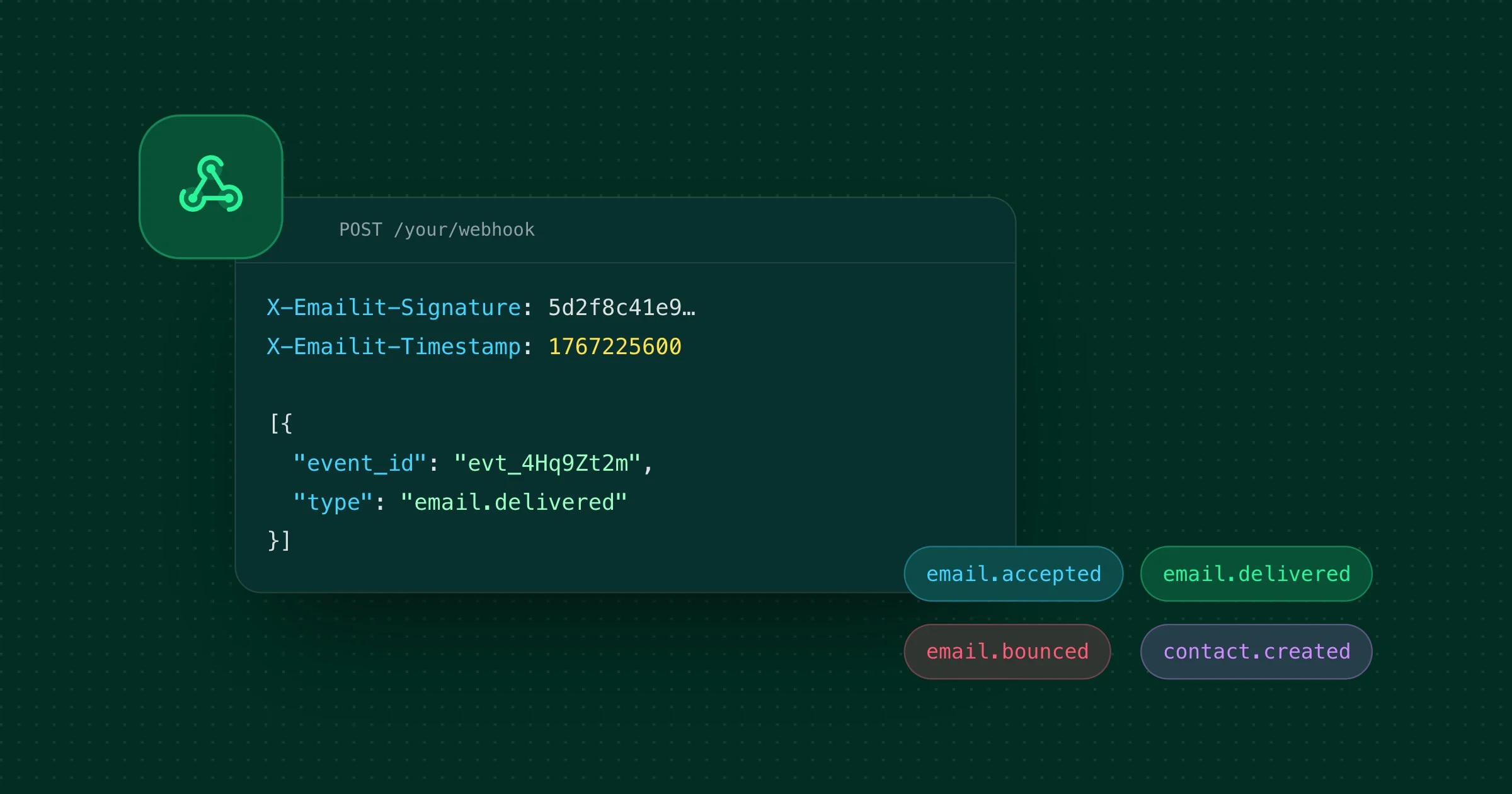
Every webhook payload follows the same shape, making it straightforward to build a single handler for all events:
{
  "event_id": "evt_2bH7kNwP5mQaV1sXgIdKe6pZr",
  "type": "email.delivered",
  "data": {
    "object": {
      "id": "em_4yM2nTvR8oPcX3uZiKeLg7sB",
      "object": "email",
      ...
    }
  }
}
The event_id uniquely identifies each event, type tells you what happened, and data.object contains the full resource at the time of the event.
HMAC-SHA256 signature verification
Every webhook request is signed with your webhook secret using HMAC-SHA256. The signature is computed over {timestamp}.{rawBody}, so you can verify both authenticity and freshness in one step.
Each request includes two headers:
X-Emailit-Signature— the HMAC-SHA256 hex digestX-Emailit-Timestamp— the Unix timestamp used in the signature
We strongly recommend using timing-safe comparison (e.g. crypto.timingSafeEqual in Node.js) to prevent timing attacks, and rejecting requests with timestamps older than a few minutes to guard against replay attacks.
Full verification examples in Node.js, Python, PHP, Ruby, and Go are available in the Request Signature documentation.
Automatic retries with exponential backoff
If your endpoint doesn't respond with a 2xx within 30 seconds, Emailit retries automatically:
Attempt | Delay |
|---|---|
0 | 5 seconds |
1 | 5 minutes |
2 | 30 minutes |
3 | 2 hours |
4 | 5 hours |
5 | 10 hours |
6 | 24 hours |
That's 7 total attempts over roughly 41 hours. After the final attempt, the webhook is automatically disabled. You can re-enable it from the dashboard at any time.
Request format
All webhook requests are POST with a JSON body. Each request includes these headers:
Header | Description |
|---|---|
|
|
|
|
| HMAC-SHA256 signature |
| Unix timestamp used in signature |
Best practices
- Respond quickly — Return a
2xximmediately and process the payload asynchronously in a background job. - Handle duplicates — The same event may be delivered more than once during retries. Use
event_idto deduplicate. - Verify signatures — Always validate the
X-Emailit-Signatureheader to confirm the request came from Emailit. - Guard against replay attacks — Check the
X-Emailit-Timestampand reject requests older than a few minutes.
Full documentation
We've published complete documentation for Webhooks v2 with detailed payload examples and field descriptions for all 36 events:
- Introduction — Overview and how webhooks work
- Event Types — Complete list of all 36 event types
- Webhook Requests — Request format, headers, and retry policy
- Request Signature — Signature verification with code examples in 5 languages
Get started
Head over to the Webhooks documentation to get started, or jump straight to the API Reference to create your first webhook endpoint.